
Purple Player Open Purple Player

Web IPTV player

Web IPTV Player for PS5, Phone and PC

A living room in the evening with a wall-mounted TV above a fireplace, the TV showing Purple Player
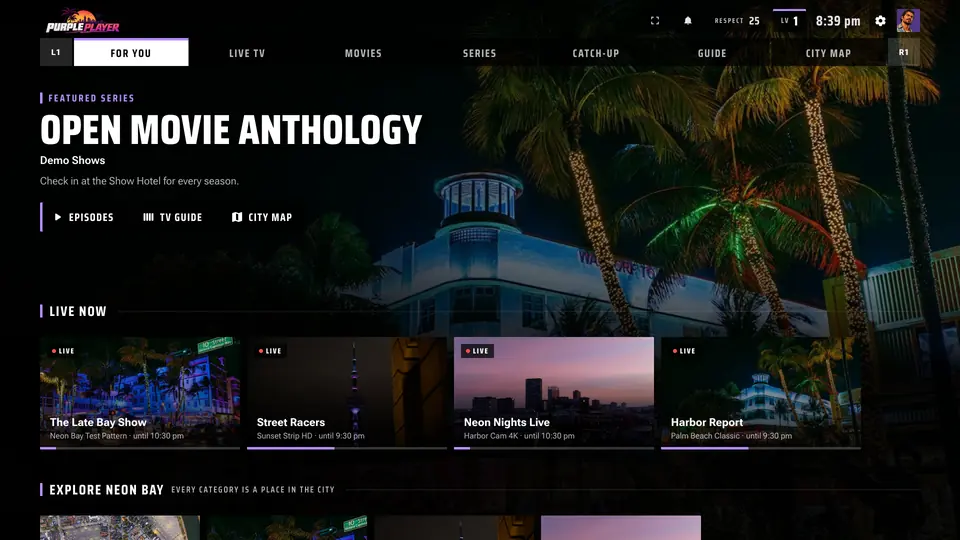
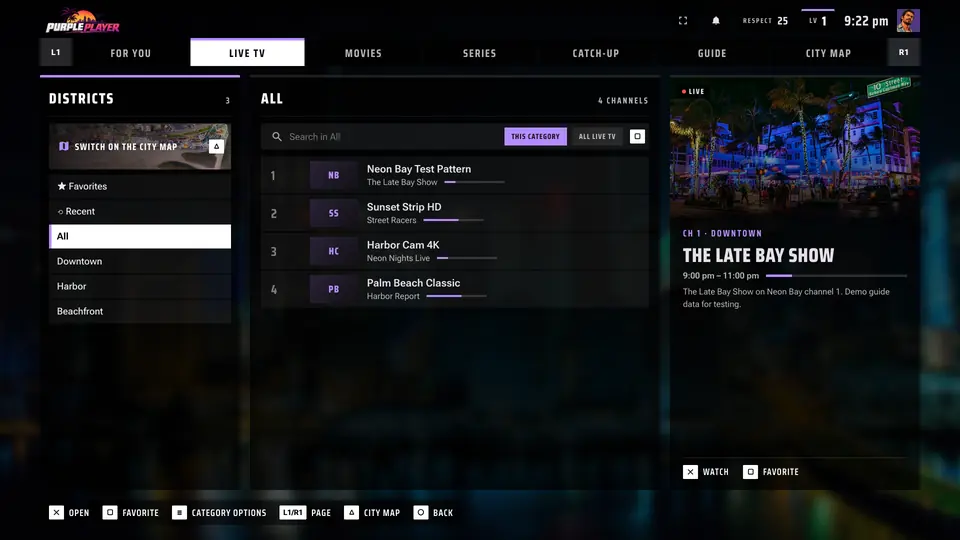
On the TV: the Purple Player home screen, TV guide, Live TV and subtitle style, with the demo playlist.

Watch live TV, movies and series from your own IPTV playlist right in the browser. Add an M3U link, an Xtream Codes or OneStream login and press play, with a full TV guide, catch-up and subtitles, on the PS5, your phone, a tablet or a computer.

Nothing to install. Purple Player is a player only: bring the playlist you already have.

Works with

  • M3U
  • M3U8
  • Xtream Codes
  • OneStream
  • Provider code
  • Purple account

Bring your own playlist

An M3U player, Xtream Codes player and OneStream player in one

Purple Player works with the IPTV service you already pay for or the playlist you already have. Pick the way your provider gave you access:

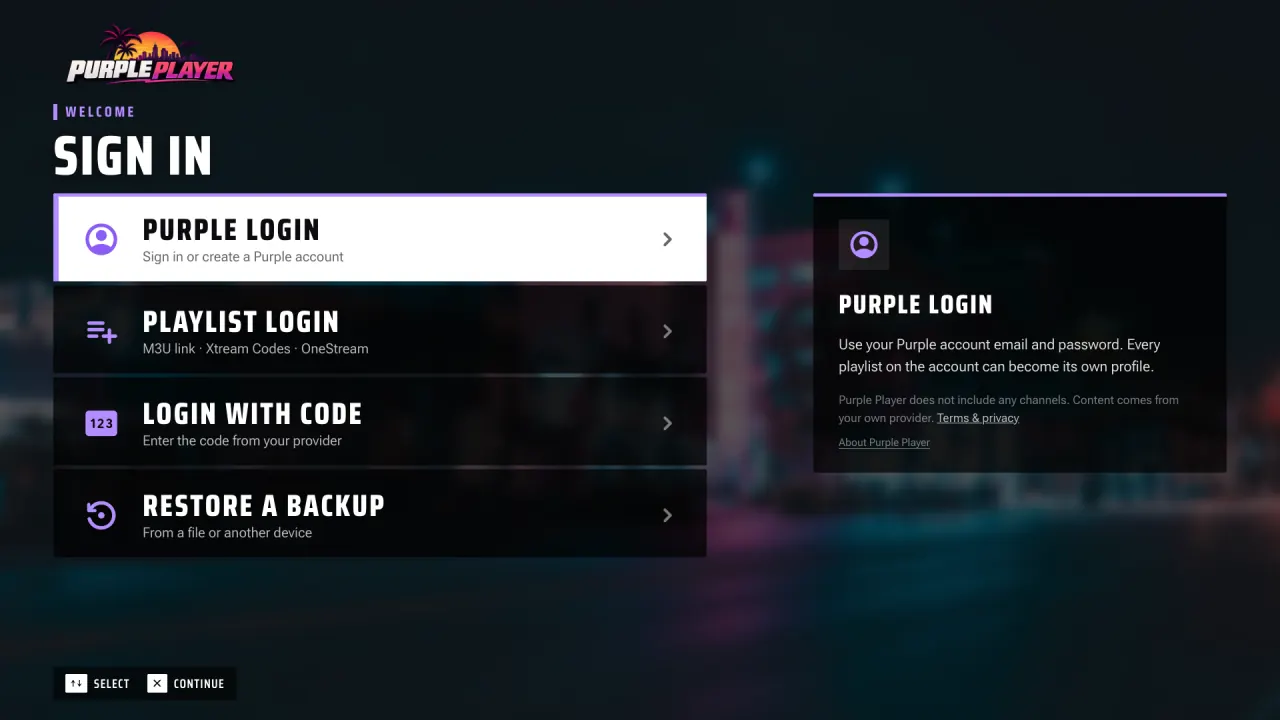
Purple Player sign-in screen with Purple Login, Playlist Login for M3U, Xtream Codes and OneStream, Login with Code and Restore a backup
  • M3U / M3U8 playlist

    Paste your playlist URL to use Purple Player as an online M3U player. Channels, groups and the guide load from it.

  • Xtream Codes login

    Enter the server address, username and password from your provider. Live TV, movies and series appear in their own sections.

  • OneStream login

    Sign in with your OneStream account and use Purple Player as your OneStream player.

  • Provider login code

    Got a short code from your provider? Enter it, then sign in with the username and password they gave you.

  • Purple account

    Sign in with a Purple account and the playlists saved on it are ready on every device you use.

We don't provide content

Purple Player does not sell, host or provide any channels, movies, series or other content. It only plays the playlist or login that you add yourself. Use it with a provider you have the right to watch.

Features

Everything you expect from an IPTV player, in the browser

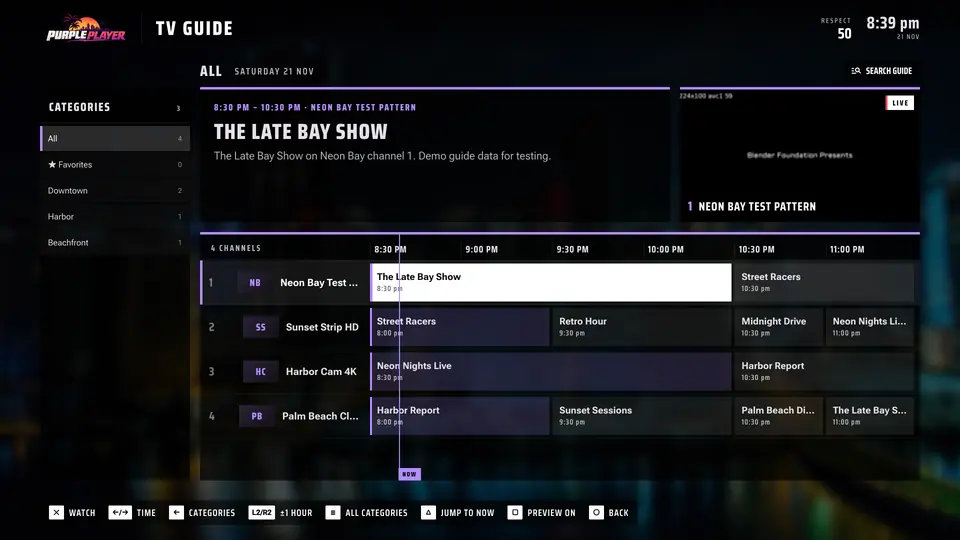
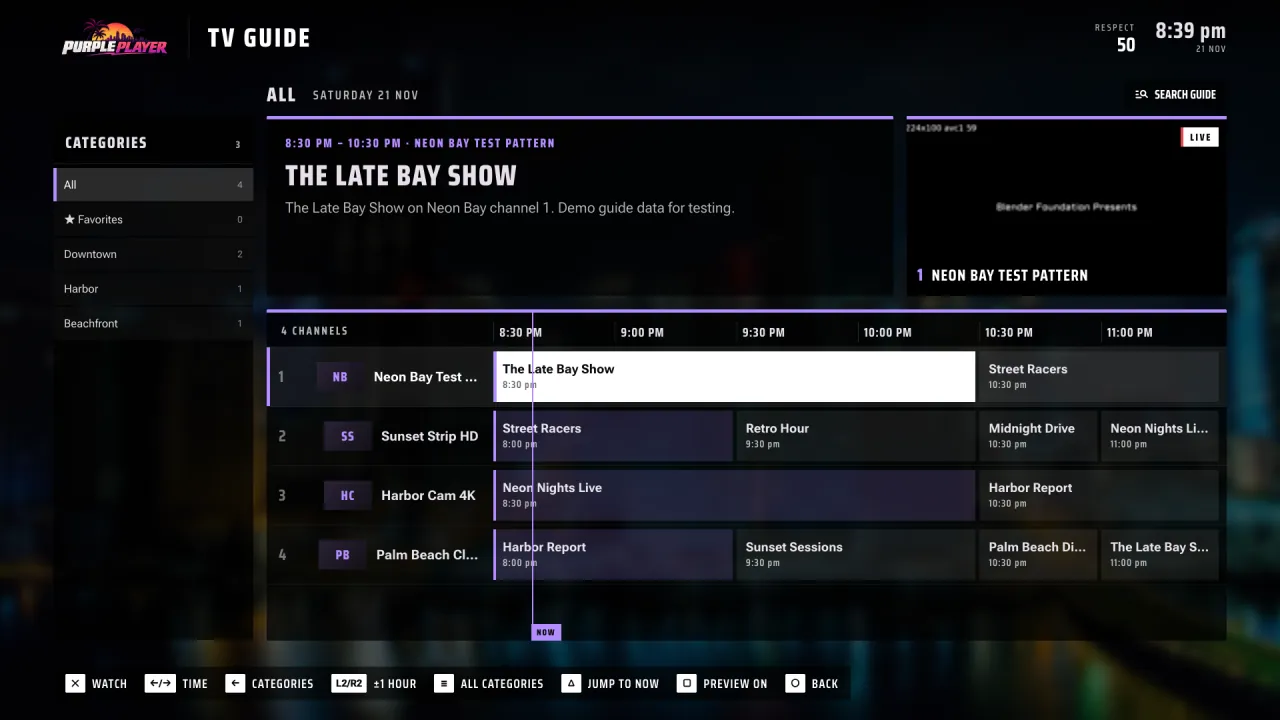
TV guide (EPG) in Purple Player: channel list with a timeline of programmes, a now marker, categories on the left and a live preview of the selected channel

Live TV

Live TV and TV guide

Channel groups and favourites, plus an EPG TV guide with now and next for every channel and a guide search to find a show fast.

  • Now and next on every channel
  • Guide search across all channels
  • Catch-up when your provider keeps an archive

Purple Player video player with large yellow outlined subtitles and the subtitle style menu open, showing size, text colour, style, font and position
Demo: Sintel, an open movie.

Subtitles

Subtitles and live captions

Use the stream's own subtitles or search online. Set size, colour, outline, background, font and position, fix the timing, or turn on live captions.

  • Changes show on the video right away
  • Broadcast closed captions
  • Optional automatic captions made on your device
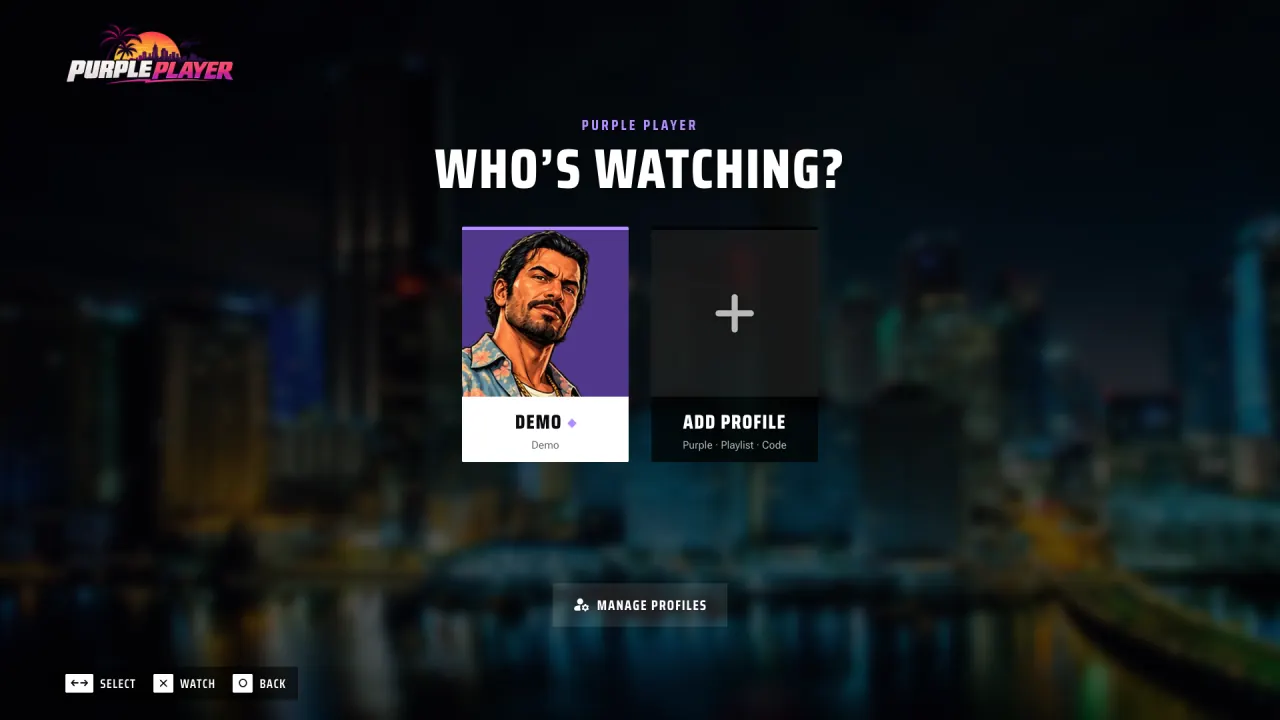
Purple Player profile picker asking who is watching, with a profile card, an Add profile button and Manage profiles

Family

Profiles and parental PIN

Give everyone their own profile, protect what children can watch with a parental PIN, and favourite, hide or lock whole categories.

  • A profile for each person
  • Lock categories behind a PIN
  • Favourite or hide whole categories

And much more

  • Catch-up TV

    Go back in the guide and play earlier programmes whenever your provider keeps an archive for the channel.

  • Movies and series

    Browse with posters and details, then pick a season and episode.

  • Resume watching

    Carry on exactly where you stopped.

  • Audio tracks

    Switch between the languages and audio tracks a stream carries, without leaving the player.

  • Multi-view

    Watch several channels at once on one screen.

  • Picture-in-picture

    Keep a channel playing in a mini player while you browse.

  • Stream info

    A quality and buffer meter shows how the stream is doing.

  • Real full screen

    Fill the whole screen, on the TV or the desktop.

  • Game-style controls

    Play it like a game: controller, keyboard (WASD, Space, Q and E), mouse or touch.

  • Custom pointers

    Pick the mouse pointer you like.

  • City Map

    Just for fun: explore your categories as places on a map.

  • Story and missions

    An optional game layer, with cheat codes to unlock.

Devices

An IPTV player for PS5, phones, tablets and computers

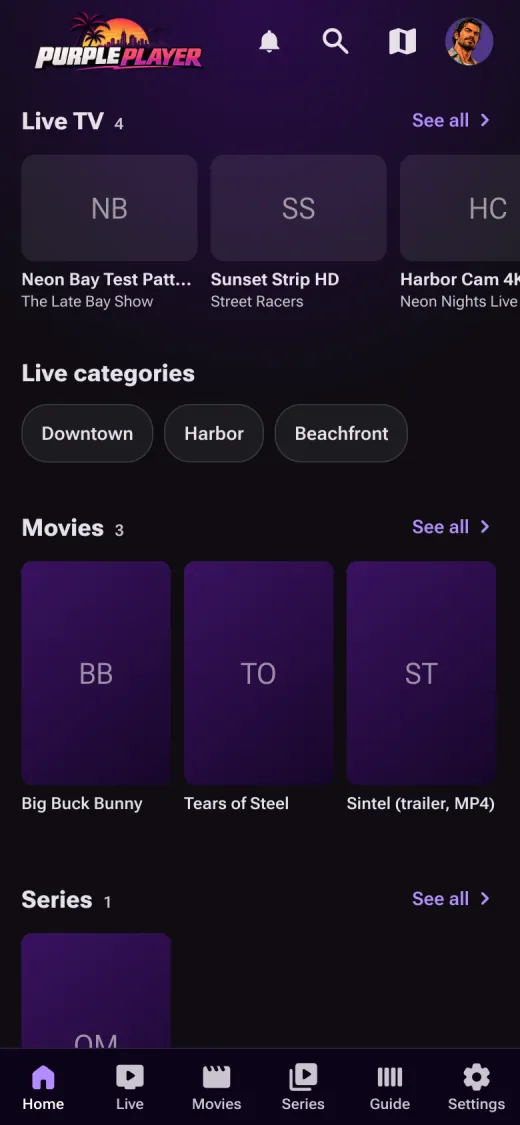
A hand holding a phone that shows the Purple Player home screen with live TV, categories, movies and series
  • PS5 browser

    Built for the TV and the DualSense controller: big type, a D-pad friendly layout and a real full screen.

  • Phone

    A phone layout with touch controls, the full guide and a mini player.

  • Tablet

    The same library and guide on a bigger touch screen, at home or on the go.

  • Computer

    Any modern desktop browser, with keyboard shortcuts, mouse control and real full screen.

Watching Purple Player from the sofa in a dark room: the TV shows the Live TV channel list

Play it on your PS5

How to open Purple Player on the PS5

  1. The PS5 has no browser icon, so send yourself purplegta.com in a PlayStation message.

  2. Open the message on the PS5 and select the link: the PS5 browser opens Purple Player.

  3. Sign in with your playlist. Move with the D-pad, select with Cross (✕) and go back with Circle (○).

Native Purple Player apps also exist for iPhone, Android, Apple TV, Mac and Windows.

Privacy and security

Your logins stay private

Purple Player keeps the details your provider gave you on the server, encrypted, and out of the browser.

  • Encrypted logins. Provider logins are stored encrypted on the server and are never shown in the browser.

  • Hidden stream links. The addresses of your streams never appear in the browser.

  • HTTPS everywhere. Every connection to Purple Player is encrypted.

  • Captions on your device. Automatic live captions run on your own device; the audio never leaves it.

Get started

Start watching in 3 steps

  1. Open Purple Player

    Go to purplegta.com in the browser on your PS5, phone, tablet or computer.

  2. Add your playlist

    Choose Playlist Login for an M3U link, Xtream Codes or OneStream, Login with Code, or Purple Login.

  3. Watch

    Open Live TV, the guide, movies or series, and resume where you left off.

FAQ

Frequently asked questions

Is Purple Player free?

Purple Player is a player. Your channels, movies and series come from your own provider subscription or playlist, so what you watch depends on the provider you choose.

Does Purple Player provide channels?

No. Purple Player does not sell, host or provide any channels or content. It plays the M3U playlist, Xtream Codes, OneStream or provider login that you add yourself.

Which playlist formats work?

M3U and M3U8 playlist URLs, Xtream Codes logins (server, username and password), OneStream logins and provider login codes. You can also sign in with a Purple account to use the playlists saved on it.

Does it work on PS5?

Yes. Purple Player runs in the PS5 browser and is built for the DualSense controller: move with the D-pad, select with Cross and go back with Circle.

Does it support EPG and catch-up?

Yes. The TV guide shows now and next for every channel and has its own search. Catch-up TV works when your provider keeps an archive for the channel.
Are subtitles supported?

Yes. You can use the subtitles in the stream, search for subtitles online, change their size, colour, outline, background, font and position, adjust the timing and turn on live captions.

Is my login safe?

Provider logins are stored encrypted on the server and are never shown in the browser. Stream links never appear in the browser either, and every connection uses HTTPS.

Do I need to install anything?

No. Purple Player runs in the web browser on PS5, phones, tablets and computers. Native apps for iPhone, Android, Apple TV, Mac and Windows also exist, but the browser is all you need.

Your playlist. Every screen.

Open Purple Player in the browser on your PS5, phone, tablet or computer and add the playlist you already have.

Open Purple Player